⬡ User Guide

App Manual

Learn how to use every section of Cymatics Studio Lab to create stunning wave art and explore the physics of cymatics.

⬡ The Real Setup

A Digital Twin of a
Physical Laboratory

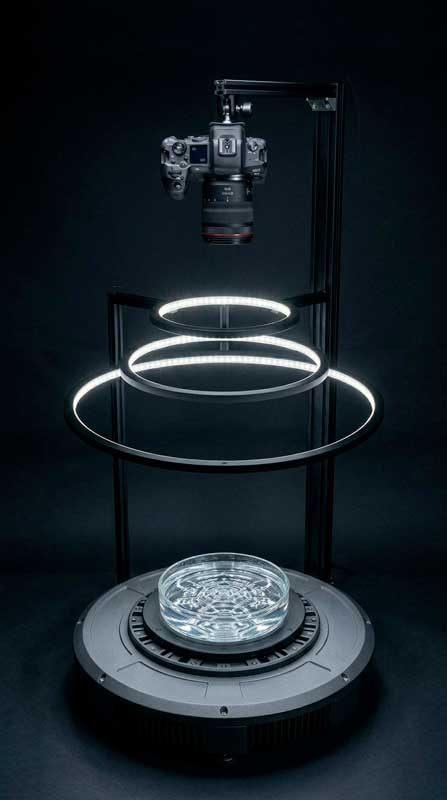
Cymatics Studio Lab faithfully simulates a real lab setup: a vibrating tray filled with liquid, illuminated by a ring of LEDs, observed by a camera from above. Every control in the app maps to a real physical parameter.
Real cymatics lab device

From Reality
to Digital

The device shown here is the physical inspiration behind the app: a precision-machined tray, an LED ring light at a controlled height, and a camera capturing the wave patterns from above.

In the app, each parameter you control — frequency, water depth, ring height, LED density — directly corresponds to a component of this real instrument.

Experiment freely: no water required.
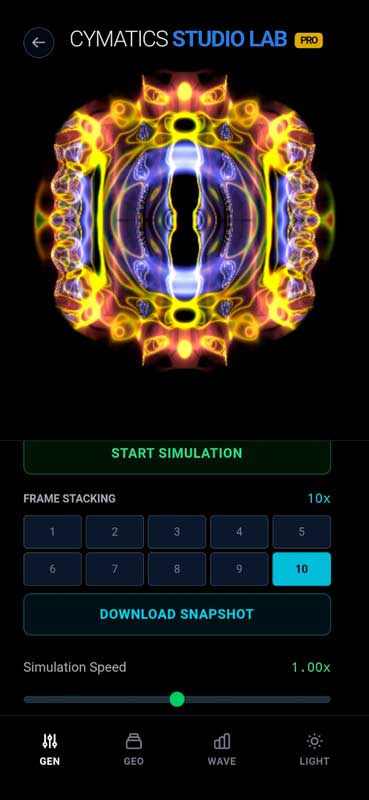
General Controls screen
01 / 04

Manage the
Simulation Flow

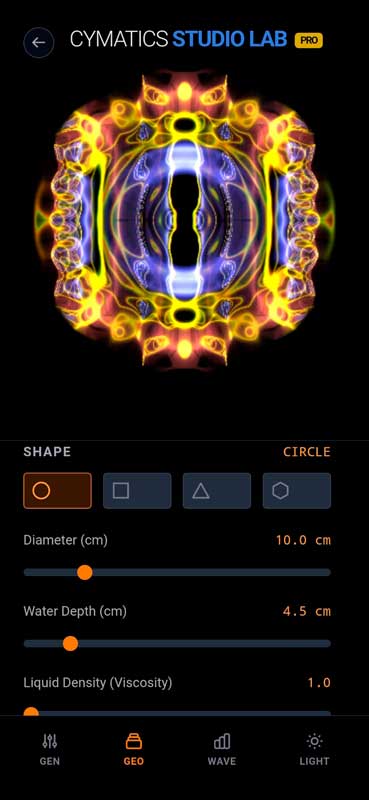
The GEN tab gives you global control over the simulation engine — pause it, stack frames for artistic effects, and export your creations in high resolution.

▶ Play / Stop Pauses the physical calculation to observe and freeze a specific frame of the wave pattern.
◈ Frame Stacking Overlays multiple frames to create long-exposure effects — similar to light painting photography.
↓ Export Downloads a high-resolution image of the current view, ready for print or digital use.
Geometry Controls screen
02 / 04

Define the
Physical Container

The GEO tab lets you define the shape and physical properties of the liquid container. The geometry fundamentally changes how waves reflect and interfere.

◯ □ △ ⬡ Shape Changes the boundary conditions (Circle, Square, Triangle, Hexagon). Each shape dramatically alters how waves bounce and create standing patterns.
↕ Diameter / Depth Sets the physical size of the tray. Larger diameters allow more complex resonance modes to form.
≈ Liquid Density Simulates liquid viscosity — from water to oil. Higher density dampens high-frequency patterns and slows wave propagation.
Wave Controls screen
03 / 04

The Heart of the
Frequency Generator

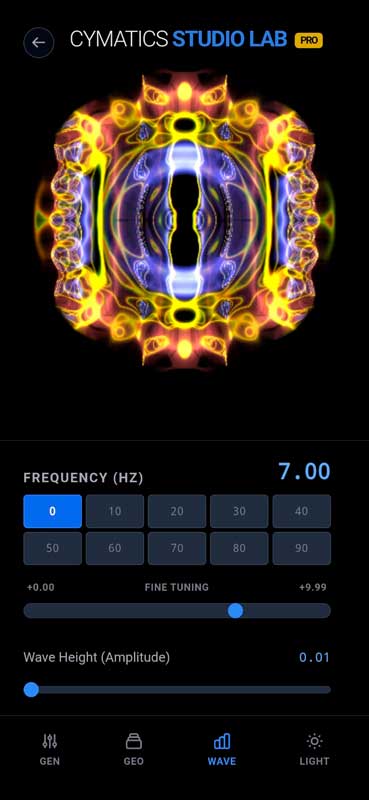
The WAVE tab is where you control the acoustic energy driving the simulation. Different frequencies unlock different geometric resonance modes.

Hz Frequency The pitch of the sound wave. Each frequency generates a unique geometric pattern — known as a Resonance Mode. Explore integer ratios for harmonic symmetry.
◈ Fine Tuning Micro-adjusts the frequency by fractions of Hz. Use it to find the exact resonant frequency where patterns become sharpest and most defined.
↑ Amplitude The energy of the wave. Values that are too high can create visual chaos — use low amplitudes for clean geometric forms.
Light Settings screen
04 / 04

Illuminate the
Wave Surface

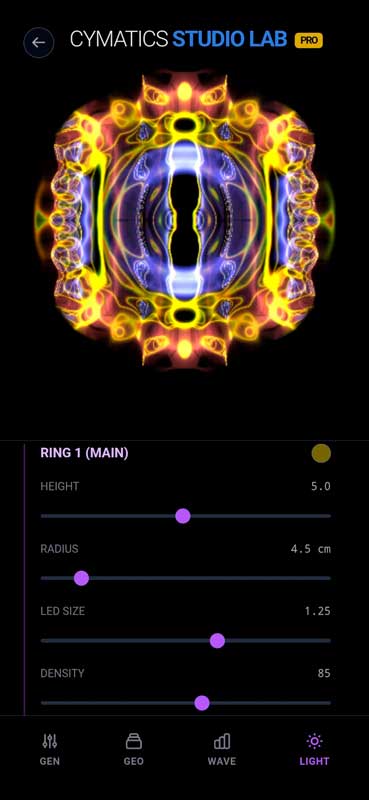
The LIGHT tab simulates a LED ring light positioned above the liquid tray — exactly like a real cymatics photography setup. Lighting dramatically changes the visual result.

↕ Height Controls how far above the tray the LED ring sits. Lower height creates more intense, localized reflections on wave crests.
⊙ Radius The diameter of the ring light. A smaller radius focuses light in the center; a larger one illuminates the wave edges.
· LED Size & Density Fine-tunes the point size and spacing of individual LEDs. Higher density creates a smoother, more uniform illumination across the surface.

Ready to Explore?

Download Cymatics Studio Lab and start creating wave art from the physics of sound.

GET IT ON
Google Play